Kadr
Школа моушн-дизайна
Открыть сайт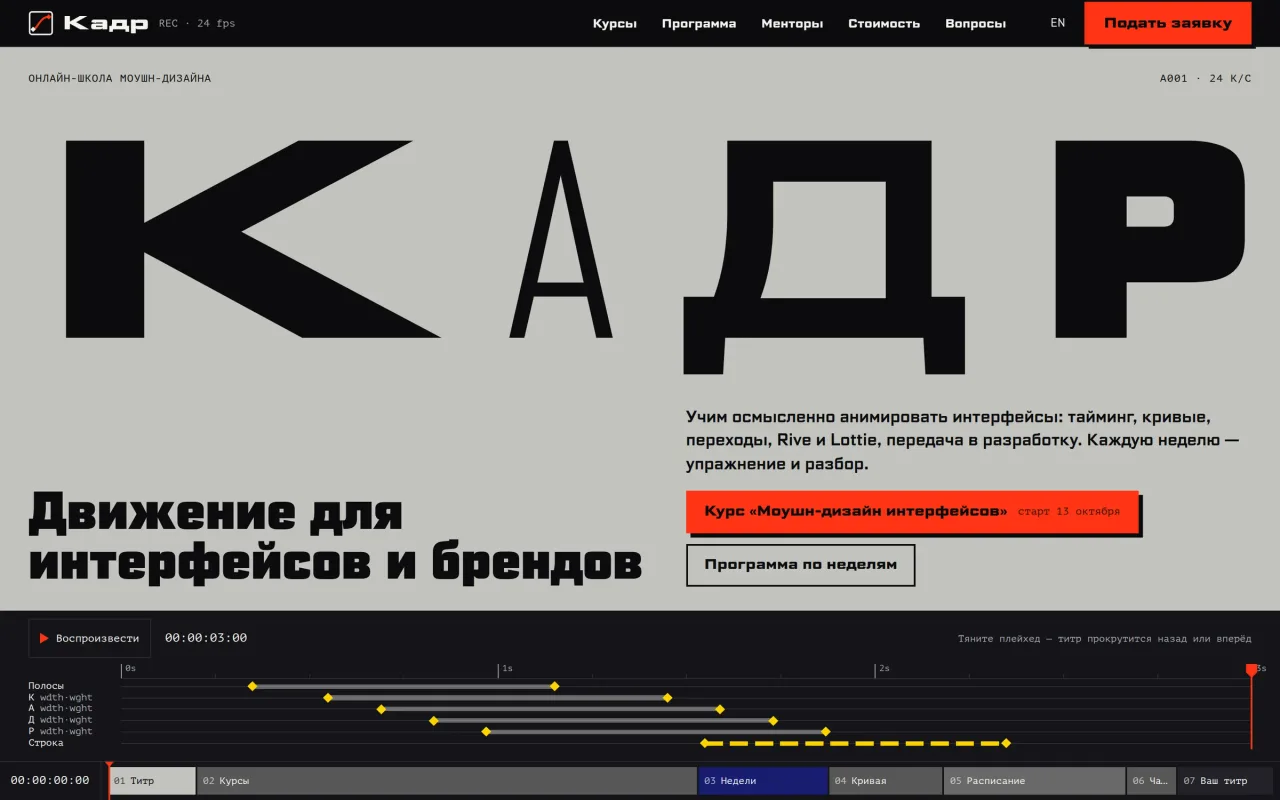
Концепция
Сайт учит движению собственным интерфейсом.
Kadr превращает каталог курсов в монтажную шкалу: курс — полоса, модуль — фрагмент, а программа по неделям идёт вдоль ползунка времени.
Задача
Перед оплатой курса человеку нужно понять, как здесь учат. Список тем мало говорит о ритме и плавности движения, поэтому сайт даёт попробовать их самому.
Разбор экрана
Что видит гость на первом экране и как это устроено.
Титр «Кадр»
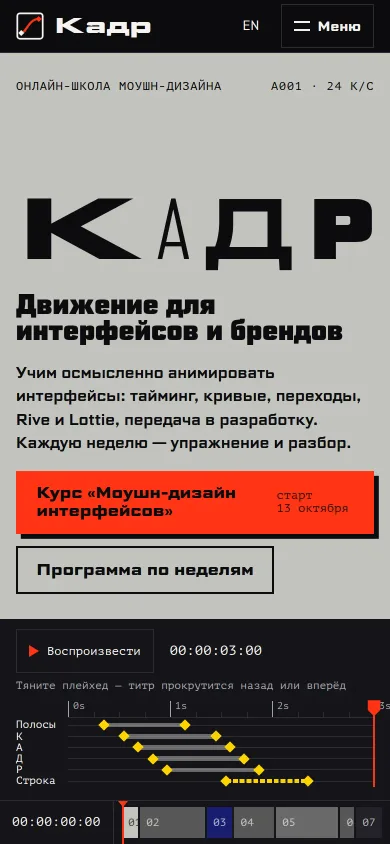
Четыре буквы одного переменного шрифта, у каждой своя ширина и толщина: от узкой тонкой «А» до широкой жирной «К».
Ближайший курс
Кнопка ведёт на флагманский курс. Дата старта берётся из расписания потоков и меняется вместе с ним.
Таймкод
Кнопка заново проигрывает титр, а таймкод показывает часы, минуты, секунды и кадр при 24 кадрах в секунду.
Ключи
Ромбы отмечают начало и конец движения полос, каждой буквы и строки. Из этих же чисел строится и сама анимация.
Ползунок времени
Тянется мышью или двигается стрелками: на кадр, с Shift на шесть кадров, PageUp и PageDown — на секунду.
Сценарий
Путь посетителя по сайту, записанный на живом сайте.
- 01
Перемотать титр
Тяните ползунок времени по шкале ключей: титр уходит назад до цветных полос и снова собирается. Буквы меняют ширину и толщину, строка проявляется по кадрам, таймкод показывает текущий кадр.
- 02
Сравнить курсы
Прокрутка ведёт ползунок по шкале недель. Дойдя до конца полосы, курс раскрывается на весь экран со стартом, днём занятия и ценой, а потом сворачивается обратно: 4, 8 и 20 недель. Дальше идут первые недели флагманского курса: темы, практика и что сдать.
- 03
Настроить кривую и подать заявку
Перетащите ручку кривой, затем введите имя для титра и выберите кривую «Из редактора»: буквы выезжают с этой плавностью. В калькуляторе на странице стоимости срок 3 месяца вместо 6 даёт 30 700 ₽ в месяц, итог остаётся 92 000 ₽. В заявке уже стоят имя и курс, а сверху повторяется ваш титр.
Инженерия
- Технологии
- Next.js · React · TypeScript
- Шрифт
- Буквы титра меняют ширину и толщину: заголовки и основной текст используют один переменный файл Science Gothic. Таймкоды набраны PT Mono.
- Титр
- Название школы собирается за три секунды, как титр в кино: каждая буква плавно меняет ширину и толщину до своей формы. Анимация на GSAP.
- До скриптов
- Титр начинает играть сразу, ещё до загрузки скриптов, и не перезапускается, когда они загрузятся. При отключённой анимации он сразу стоит в последнем кадре.
- Курсы
- На широком экране расписание курсов идёт за прокруткой: ползунок движется по неделям, курс раскрывается из своей полосы (GSAP ScrollTrigger). На телефоне и без анимации курсы идут списком под шкалой.
- Кривая
- Посетитель настраивает плавность движения и сразу проверяет её на титре: анимация использует выбранную кривую.
- В браузере
- Имя и выбранный курс не нужно вводить повторно: форма подставляет их из титра, сохранённого в этой вкладке. Титр над формой повторяет выбранную кривую; курс из ссылки имеет приоритет.
- Оплата
- Сумма платежей в рассрочке всегда равна цене курса: платежи округляются вверх, последний забирает остаток. Полоски платежей перестраиваются с пружинной анимацией Motion.
- Переходы
- Страницы сменяются диагональной шторкой через View Transitions в Next.js; при отключённой анимации переход мгновенный.
Kadr
A motion design school
Open the website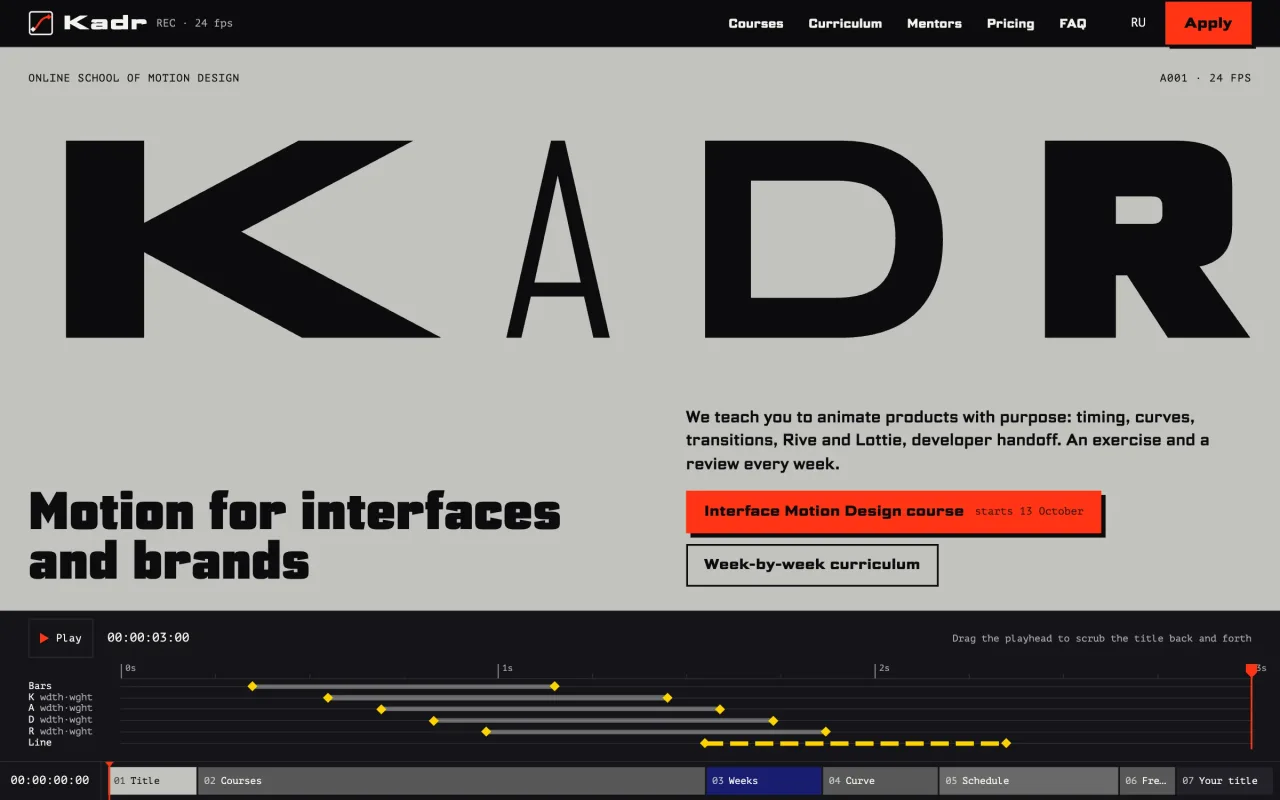
Concept
The site teaches motion through its own interface.
Kadr turns the course catalogue into an editing timeline: each course is a track, each module a clip, and the week-by-week programme runs under a playhead.
The task
Before paying for a motion course, a visitor needs to judge how it is taught. A list of topics says little about timing and curves, so the site lets them try both.
Screen anatomy
What a guest sees on the first screen and how it works.
The Kadr title
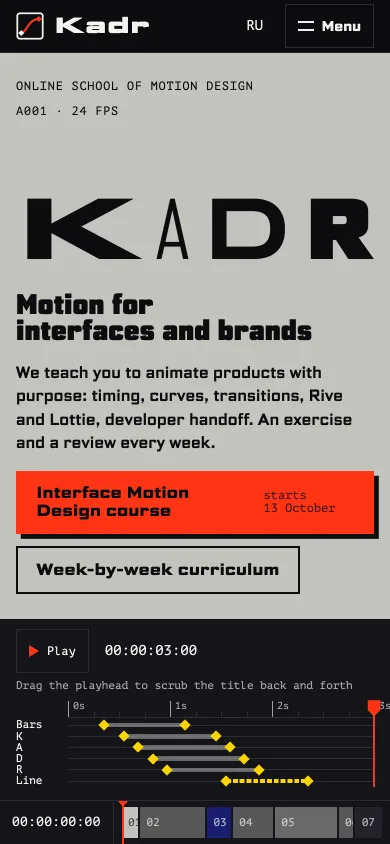
Four letters in one variable font, each with its own width and weight, from the narrow thin A to the wide heavy K.
Next course
The button leads to the flagship course. The start date comes from the cohort schedule and changes with it.
Timecode
The button replays the title, and the timecode shows hours, minutes, seconds, and the frame at 24 frames per second.
Keyframes
Diamonds mark where the bars, each letter, and the line start and stop moving. The animation itself is built from the same numbers.
Playhead
Drag it with the mouse or move it with the arrow keys: one frame, six with Shift, one second with Page Up and Page Down.
The flow
The visitor's path, recorded on the live website.
- 01
Scrub the title
Drag the playhead along the keyframe tracks: the title runs back to the colour bars and builds up again. The letters change width and weight, the line wipes in frame by frame, and the timecode shows the current frame.
- 02
Compare the courses
Scrolling moves the playhead along the week ruler. When it reaches the end of a track, that course opens full screen with its start date, live session day, and price, then folds back: 4, 8, and 20 weeks. Next come the first weeks of the flagship course: topics, practice, and what to hand in.
- 03
Shape a curve and apply
Drag a curve handle, then type a name for the title card and pick “From the editor”: the letters slide in with that curve. On the pricing page, 3 months instead of 6 makes the monthly payment $364, and the total stays $1,090. The application already has the name and course, with your title card replayed at the top.
Engineering
- Technologies
- Next.js · React · TypeScript
- Font
- The title's letters change width and weight: headings and body text share one variable Science Gothic file. Timecodes use PT Mono.
- Title
- The school's name assembles in three seconds like a film title: each letter eases its width and weight into its own shape. The animation runs on GSAP.
- Before scripts
- The title starts playing at once, before the scripts load, and does not restart when they arrive. With animation turned off it shows its last frame straight away.
- Courses
- On a wide screen the course schedule follows the scroll: a slider moves through the weeks and each course opens out of its own bar (GSAP ScrollTrigger). On a phone or without animation the courses are listed under the timeline.
- Curve
- Visitors adjust the easing and immediately try it on the title: the animation uses their chosen curve.
- In the browser
- The name and chosen course do not need entering again: the form takes them from the title card saved in this tab. The title above the form replays the saved curve; a course specified in the link takes priority.
- Payments
- Instalments always add up to the course price: payments round up and the last one takes the remainder. The payment bars rearrange with a Motion spring animation.
- Page changes
- Pages change with a diagonal wipe through View Transitions in Next.js; with animation turned off the change is instant.